North Carolina Zoo Tips for Parents
OFFICIAL WEBSITE: http://www.nczoo.org/
ADMISSION: We got in for free since we purchased an annual membership to our local zoo. Since our zoo is part of the Association of Zoos and Aquariums, we were able to get in for free with their reciprocity program. We do this also with our local children’s museum which is part of the Association of Technology and Science Centers reciprocity program as well.
PARKING: There are 2 main parking lots at the top (North America Lot) and the bottom (Africa Lot). There was a shuttle between the 2 lots, so we parked at the North America lot first and then immediately took the shuttle to the Africa lot. Our plan was to basically walk back through the zoo and then end up at our car. The last time we went we didn’t do that and we had whiny kids that were ready to leave but we still had to wait for the shuttle. Lesson learned!
ROUTE: Personally, I think starting at the Africa side and then ending at the North America side is a much better route if you have kids. First, the kids are much more fascinated by seeing the giraffes, elephants, and rhinos first and it gets them engaged quickly while they have energy. We spent the morning on the Africa side, at lunch at the Junction Plaza, and then continued on to the North America side afterwards. The North America side also has a great playground near the entrance so its a great place to let the kids get out all of their energy before heading home.
Pro Tip: Make sure you save time for the playground and bring an extra set of clothes with you! There is a cool “stream” that the kids can play in at the playground. If you park in the North America lot, you can just leave a change of clothes in the car.
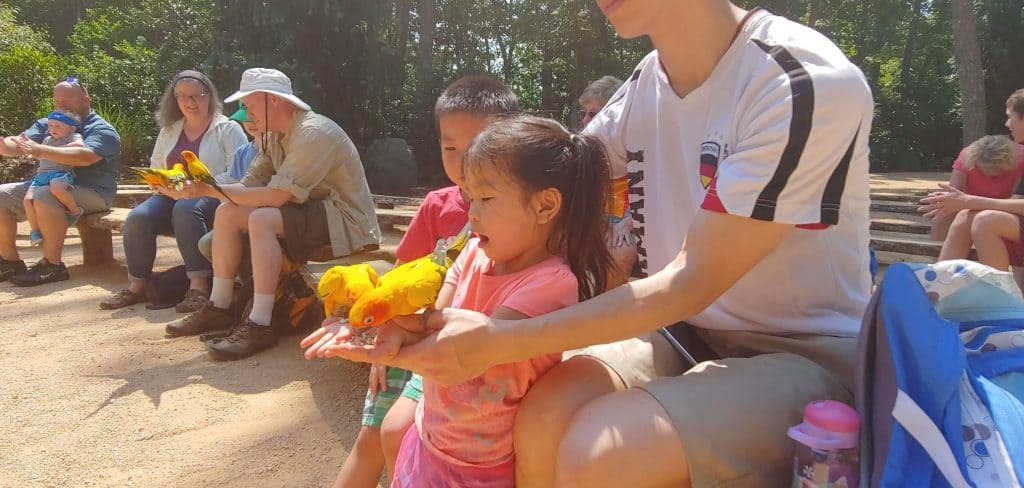
BIRDS OF FLIGHT SHOW: We also did the Birds of Flight show, which was an extra $3 per person. Since we got in for free, we went ahead and paid for the show. It was really good! The kids also got to have some of the birds eat out of their hands, so that was pretty cool! I’d recommend it.
STROLLER TIP: The Zoo is VERY large, so definitely consider bringing as stroller if you need it. I’m happy to report that we were able to make it through the entire zoo without a stroller! My 5 year old walked the entire time and my 3 year old did pretty well too. I also used it as an opportunity to “train” them into walking more. Since we didn’t have the stroller they were forced to keep walking. We also took a lot of breaks anyways to watch the animals, so it wasn’t too bad.
Overall, everyone had a great time and we will definitely go back! The kids were completely exhausted, so I consider that a success!

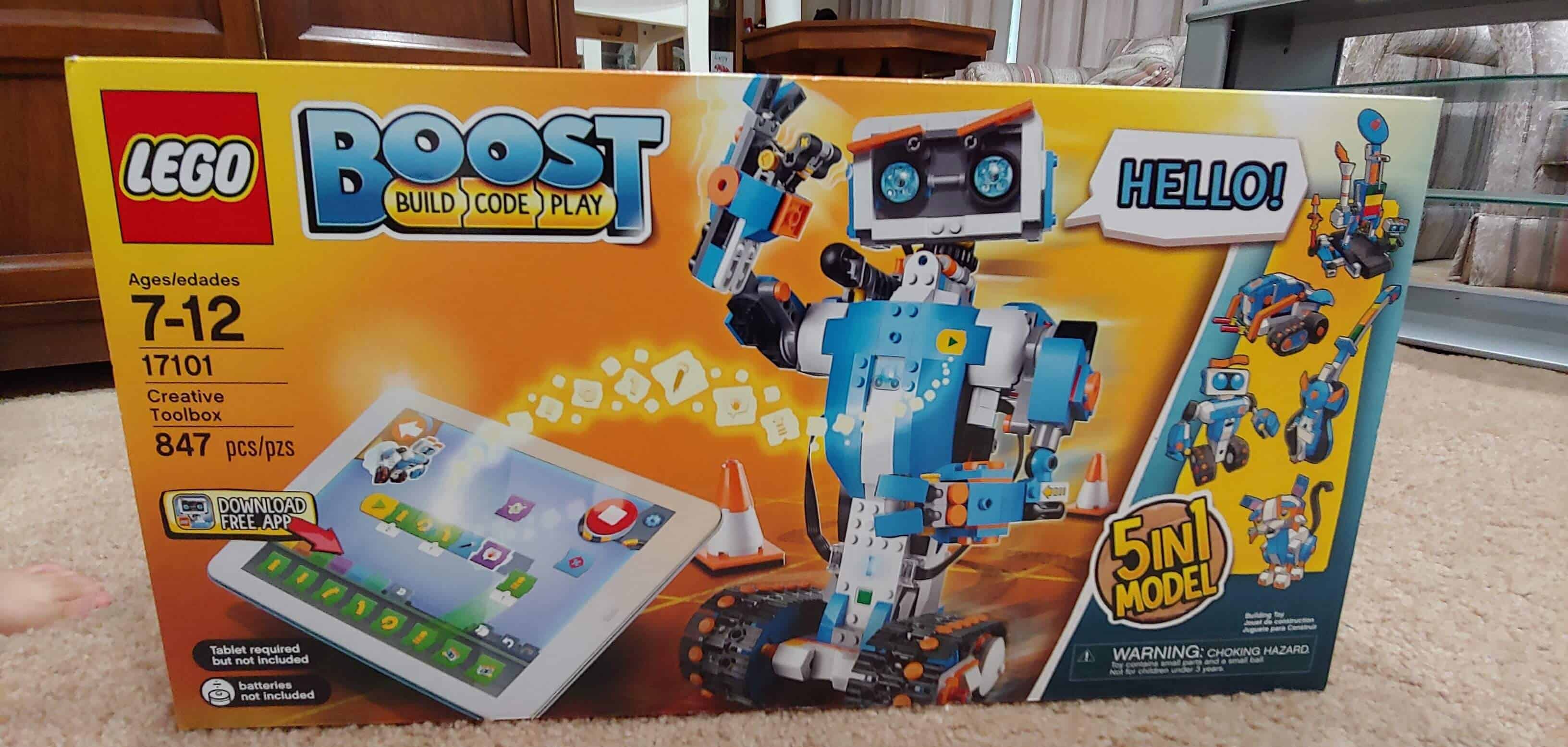
Although Alex is only 5 and Emily is 3, I really wanted to get them more into robotics and programming. It’s an essential skill for problem solving and imaginative play. Plus, it had an iPad component to it, so I knew they’d be excited about it anyways!
The kit comes with a lot of pieces since you can built 5 different robots. We put them all into a plastic tub so they could keep everything in one place. Keep in mind there aren’t any instructions in the box; you have to download the iPad app in order to get the instructions. I really like that idea since I don’t have to worry about where the little booklet of instructions and the kids don’t get distracted by step 33 when they are only on step 2!

The app was really easy to use and we created a simple robot together. Alex was able to put most of it together by himself and we get Emily the easier parts to put together also. Surprisingly, both kept focused on making the robot all the way to the end.

One the basic robot was put together, we used the iPad to control it. The app was really easy to use with buttons for forward, backwards, and turning. You just need to use your finger to put them in order and push play. Both kids took turns making the robot do whatever they wanted! We ended up moving to the kitchen since the robot didn’t work that well on the carpet.

Overall, if your kids like LEGOs but you aren’t quite ready for Mindstorms, this is a great product for beginning programmers. The iPad app was easy to use and the kids understood the basics of controlling the robot. We’ll definitely be putting this into the toy rotation!
Check out the current pricing for the LEGO Boost on Amazon.
]]>